CUE Live
- 4.8
- Rating
- 50.00K
- Installs
- Free
- Price

 Analysis by App-foxy
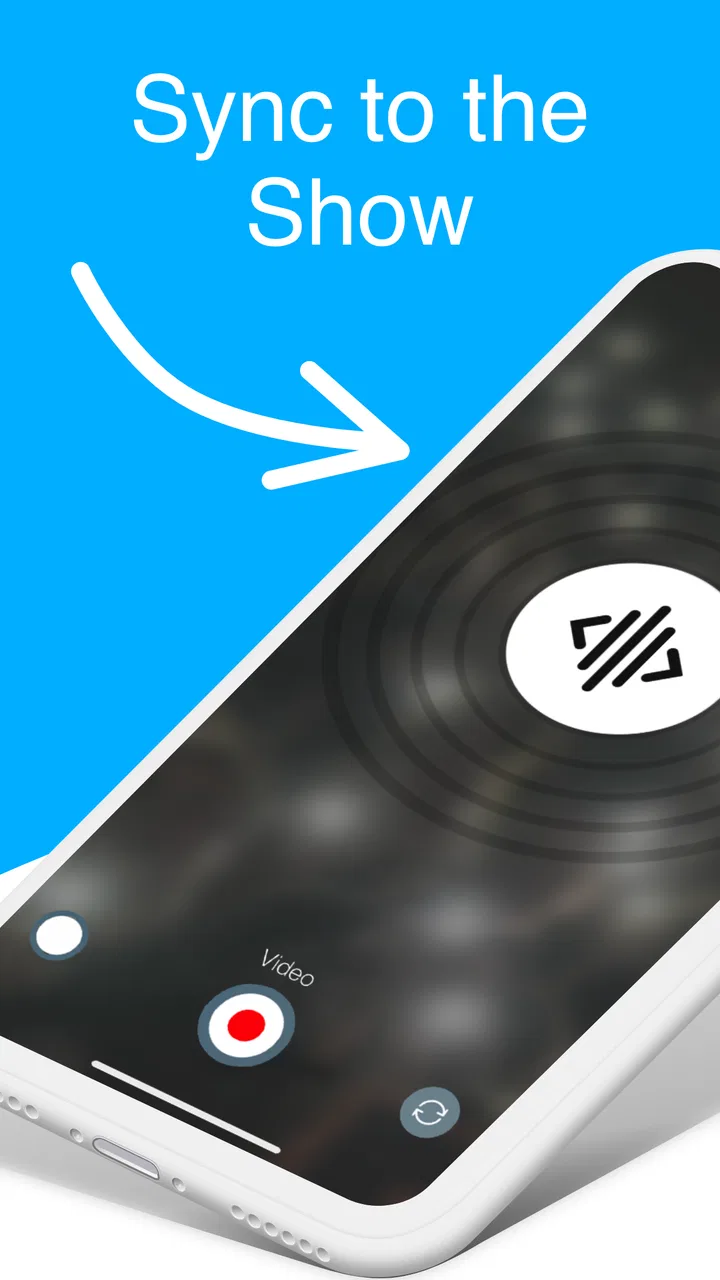
Walking into an event and seeing a crowd react together can be exciting, but it can also leave you wondering how your phone is supposed to be part of the experience. CUE Live is built for that particular moment. It is an events app from CUE Audio that uses ultrasonic sound waves to synchronize compatible phones at CUE-enabled events. In practical terms, you install it before attending, open it when the event asks you to, and let the app listen for the signal that coordinates the experience.
That makes it very different from a normal event companion app. You are not mainly using it to browse schedules, buy tickets, read announcements, or chat with other attendees. Its value appears when you are physically present at an event designed to work with it. When that setup is in place, the phone becomes a small, quiet part of a larger coordinated moment rather than another screen demanding attention.
I see it as a focused tool rather than an app I would keep opening every day. It is free, rated for Everyone, and the developer is CUE Audio. The app has a 4.8 average from around 710 ratings, with over 50 thousand installs, which suggests that people who encounter it in the right event context generally find it useful. The important qualification is that its usefulness depends heavily on the event itself. Without a CUE-enabled setting, there is little reason to launch it.
You May Also Like

 Blood Strike: 2.5 Anniversary
Blood Strike’s Loadouts Turn Every Drop Into a Tactical Gamble
A close look at Blood Strike’s custom loadouts: how fast access to signature weapons reshapes its battle royale rhythm, rewards preparation, and narrows the gap between fights.

 Pandora - Music & Podcasts
Pandora’s Music Is Easy to Start, but Harder to Recover
Pandora’s strength is its low-effort path from a seed to a station. Its weak spot is how much confidence it asks you to place in connection, setup, and quiet recovery.

 8 Ball Pool
 Is Built on Rivalries, Rematches, and Routine
A close look at the rivalries, rematches, shared routines, and unanswered safety questions that turn a quick pool match into a persistent mobile community.

 Samsung Music
’s Quiet Strength Is Playing What You Already Own
Its reach comes less from spectacle than from dependable access to a personal library. That simplicity is both the app’s strongest retention engine and its ceiling.

 AccuWeather: Weather Radar
AccuWeather Review: A Quick, Clear Forecast for Everyday Decisions
For everyday plans, the best forecast is the one you can understand quickly. AccuWeather makes rain timing, radar, and local conditions easy to act on, with a few trade-offs.

 Hill Climb Racing
Why Hill Climb Racing Still Turns Crashes Into One More Run
A tiny car, a bumpy hill and one more upgrade: Hill Climb Racing keeps resurfacing because its simple chaos makes every near-miss feel personal.
More From Our News Desk



What the first-time experience is really like
The first thing to understand is that CUE Live is event-dependent. You should not install it expecting a collection of activities that works anywhere. The meaningful experience begins when an organizer, venue, performer, or event production team has arranged for CUE technology to be part of the program. The app is the receiving side of that arrangement, so its purpose may not be obvious if you open it at home.
That dependence is not necessarily a weakness. It keeps the app narrowly focused and avoids filling the interface with unrelated features. I would compare it less with a general event guide and more with a digital wristband or synchronized light accessory, except that the phone handles the participation. The trade-off is straightforward: a specialized tool can do one job cleanly, but it cannot replace a ticketing app, venue map, calendar, or event information service.
For a first-time user, the best approach is to install it before arriving rather than while a performance is already starting. That gives you time to make sure the app is present, your phone has enough battery, and you understand when the event expects you to use it. A few minutes of preparation can prevent the frustrating experience of trying to troubleshoot while everyone around you is already responding to the show.
The app’s store summary describes its central method clearly: ultrasonic sound waves are used to synchronize devices. That detail matters because it explains why the phone needs to be in the event environment. This is not ordinary Bluetooth pairing with a nearby accessory, and it is not simply a remote broadcast that you can activate from anywhere. The phone needs to receive the event’s intended audio signal so the timing can be coordinated.
Starting with the right expectations
Once installed, I would treat CUE Live as something you use when prompted by the event rather than something you configure extensively in advance. Look for instructions from the event organizers about when to open it and what to do next. If the event tells you to hold the phone normally, keep it visible, or wait for a cue, follow those instructions instead of repeatedly tapping through the app.
That is one of the less obvious lessons with this kind of experience: the event’s instructions are part of the product. The app alone cannot explain the entire show because the timing and purpose come from the live production. If you only judge it from an isolated launch at home, it may appear too simple. In the correct setting, that simplicity can be an advantage because you are meant to watch the stage, not spend the evening navigating menus.
It is also worth deciding beforehand whether you actually want a synchronized phone experience. Some people enjoy contributing to a visual or coordinated audience effect. Others prefer to keep their phone away during a concert, ceremony, or presentation. CUE Live is best for the first group. If your priority is a distraction-free event, a conventional event app that you check before entering may suit you better.
Setting up before the event begins
The setup path is intentionally practical. Install the app on a compatible device, open it before you need it, and keep it ready for the event’s instructions. The current version is 3.14.3, and it supports devices running Android 7.0 or later. That makes it accessible to many older Android phones, although an old device may still be less comfortable if its battery is already weak or its audio hardware is unreliable.
I would not wait until the final minute to deal with installation. Event entrances can be crowded, mobile service can be inconsistent, and the lighting or noise around you can make small on-screen instructions harder to follow. Installing in a calm place also lets you identify whether the app opens normally before you are surrounded by people.
Battery planning is especially sensible here. Because the phone may need to remain active during a live moment, starting with a low charge creates an avoidable risk. You do not need to treat the app like a heavy game session, but I would charge the phone before leaving and avoid unnecessary background use while waiting for the event to begin. If you are attending a long show, a small battery pack is more useful than repeatedly closing and reopening the app in the hope of improving synchronization.
Another useful habit is to keep the phone’s speaker and microphone area unobstructed. I would not place the device inside a thick pouch or cover the lower edge with my hand while waiting for the signal. The app relies on ultrasonic audio, so the physical position of the phone can matter more than it would with an ordinary tap-to-confirm event application. This is a simple precaution, not a complicated calibration routine.
Reaching the first meaningful success
The first successful action is not merely opening CUE Live. It is seeing the app respond at the event when the organizers trigger the synchronized experience. To get there, I would open the app shortly before the announced moment, keep the phone in a normal position, and pay attention to the stage or event staff rather than constantly checking the screen.
If the experience is working, the phone should become part of the coordinated action without requiring you to manually match timing with the people around you. That is the clever part of the ultrasonic approach. Everyone’s device can respond to the same event cue, so the audience does not need to press a button at exactly the same instant. The result feels more collective than a simple instruction such as “turn your flashlight on now.”
For a realistic example, imagine arriving at a live performance where the audience is told that phones will participate in a particular segment. You install CUE Live at home, charge your phone, and open the app after taking your seat. When the production sends the audio cue, you leave the phone in the instructed position and watch the event. If your device responds, you have completed the important part: you allowed the app to receive the cue and join the synchronized moment without interrupting the performance to manage it.
This workflow also explains why I would avoid repeatedly force-closing the app during the event. If you are uncertain, a quick look is reasonable, but constant restarting can make the experience feel more complicated than it is. The app is designed around a cue arriving at the right place and time, not around continuous manual control from the audience.
The biggest first-use tip is to prepare early, then touch the phone as little as possible once the event starts. That sounds almost too simple, but it matches the app’s role. Your attention should remain on the live experience, while the phone handles the synchronization in the background of the moment.
Where first-time users can become confused
The most common misunderstanding is expecting the app to demonstrate its full purpose without an active CUE-enabled event. If you launch it in your living room and nothing interesting happens, that does not mean the installation failed. The ultrasonic signal comes from the event environment, so there is no equivalent home test that can reproduce the complete experience unless an organizer has provided one.
A second source of confusion is assuming that any concert, conference, festival, or public gathering will work with it. The category is Events, but that does not mean CUE Live automatically supports every event. The event must specifically be enabled for the technology. This is the key difference between CUE Live and a general-purpose event companion: it is tied to production arrangements rather than simply to your attendance.
Users may also wonder whether they need to pair the phone with another device. The app’s synchronization method is based on ultrasonic sound waves, so the important connection is the event’s audio cue reaching the phone. I would follow the organizer’s directions instead of searching for a separate accessory or trying to manually connect with nearby attendees.
Noise can be another practical concern. Live environments are loud, crowded, and full of competing sounds. I would not assume that every seat, room, or moment is equally favorable for receiving a cue. If the app does not respond immediately, first check the simple factors: are you actually at the enabled portion of the event, is the app open, is the phone unobstructed, and did the organizer announce that the cue has been sent? Moving the phone into a clearer position may be more useful than repeatedly tapping the screen.
There is also a social consideration. In a large audience, some people may hold their phones up while others keep them down. CUE Live can coordinate participating devices, but it cannot make every attendee install the app or choose to use it. I like that this leaves participation optional, but it also means the visual impact may vary from event to event. If you expect a perfectly uniform audience response, you may be disappointed by the human side of the experience rather than by the app itself.
How it compares with ordinary event apps
Most event apps are information tools. They help you find a schedule, read venue details, receive updates, or manage a ticket. CUE Live serves a different purpose: it turns a phone into a synchronized participant during a live production. Comparing the two directly is not quite fair because they solve different problems, but the distinction is important when deciding what to install.
If you need directions, speaker information, ticket access, or reminders, choose the event’s official information app or website first. If you want to contribute to a coordinated audience effect and the event specifically supports CUE, this app is the more relevant companion. In some cases, you may reasonably use both: one before the event for logistics and CUE Live during the designated moment.
It also differs from manually using a flashlight, playing a shared video, or responding to a countdown. Manual methods depend on audience timing and can look uneven. A synchronized ultrasonic cue offers a more controlled way to coordinate devices, provided the event has been set up for it and phones can receive the signal. That is the central trade-off: greater coordination in the right setting, but no usefulness outside that setting.
Who will get the most from it
I would recommend CUE Live to people attending events where its use has been announced, especially anyone who enjoys audience participation and wants to be part of a coordinated visual or interactive moment. It is also a sensible download for people who attend different live events and would rather have the tool ready before an organizer asks for it.
It is less suitable for someone looking for a permanent event-planning utility. If your main needs are calendars, ticket storage, maps, venue reviews, or notifications, this app will not replace those services. I would also skip it if you strongly prefer not to use your phone during performances. The app is not a reason to take your attention away from the event; its best use is when the organizers have designed the phone interaction to complement what is happening in front of you.
Families can also approach it comfortably because the content rating is Everyone, but younger users may still need an adult to explain when the phone should be used and when it should be put away. The app itself may be simple, yet the surrounding event can be busy, loud, and distracting. Clear instructions from the accompanying adult or event staff remain more important than exploring every screen.
Small habits that make the experience smoother
My first practical habit would be installing before travel. That avoids relying on a crowded venue’s connection and gives you a chance to confirm that the app launches on your phone. My second would be charging the device and reducing unrelated battery use before the show. These are ordinary preparations, but they directly address the two things most likely to spoil a short, time-sensitive interaction.
My third tip is to read the event’s wording carefully. If the organizer says to open the app only at a particular point, do that rather than leaving it open for the entire day. If the instructions say to keep the screen visible, do not lock the phone immediately. If they ask you to hold it in a certain way, avoid covering the audio hardware. The app’s success depends on matching the event’s workflow, not on finding a universal setting that works everywhere.
A fourth insight is to treat a missed cue calmly. Because the experience is tied to a live event, repeatedly troubleshooting can make you miss what you came to see. Check the basic conditions once, then decide whether the moment has passed. The app is meant to add to the event, not turn a performance into technical support.
Finally, if you are attending with friends, agree beforehand who actually wants to participate. That avoids everyone staring down at their screens while trying to help one another. One person can read the event instructions aloud, while the others keep their phones ready. This small bit of coordination preserves the social atmosphere that CUE Live is intended to enhance.
What the current release means for installation
The app was released on December 20, 2017, and its current version is 3.14.3. I mention that because a mature app can be reassuring for an established event tool, but it also makes device compatibility worth checking. Android support begins at version 7.0, so anyone using a very old phone should confirm the operating system before planning around it.
The free price makes trying it low-risk when an event has specifically requested it. I would still avoid installing it simply because it appears in an event category and then expecting a standalone experience. The better decision is event-led: if your event says CUE Live is part of the program, install it; if not, choose a tool that addresses the information you actually need.
The rating of 4.8 from around 710 ratings and the review count of 49 indicate a generally positive reception, but I would interpret those figures in context. People are likely judging whether the app works during a particular enabled experience, not whether it can serve as an all-purpose event platform. That makes the rating encouraging for its intended job without turning it into a promise that every event will feel identical.
My recommendation after using it as intended
I like CUE Live because it understands its role. It does not try to become a ticket wallet, social network, schedule manager, or general entertainment hub. Instead, it uses ultrasonic audio to help phones respond together when an event has been prepared for that interaction. When everything lines up, the technology fades into the background and the audience moment becomes the focus.
Its limitations are equally clear. You need the right event, the right timing, and a phone capable of receiving the cue. The app cannot create a synchronized experience on its own, and it is not a replacement for the usual event-planning tools. Some users may also find the event dependency confusing if they open it without instructions, while others may prefer not to involve a phone in a live occasion at all.
For a first-time user, my path would be simple: install it before leaving, check that the phone meets the Android requirement, charge the battery, read the event instructions, and open the app only when the event calls for it. Keep the phone unobstructed, avoid unnecessary restarting, and return your attention to the stage or activity. That is the quickest route from installation to a meaningful result.
Overall, I would recommend it when CUE Audio is part of the event you are attending. In that situation, the free app is a practical way to join a coordinated audience effect without carrying extra equipment. Outside that situation, I would not keep it installed for general event planning. Its strength is not breadth; it is the focused, carefully timed connection between a live event and the phone in your hand.
FAQs for CUE Live
01What is CUE Live and how does it enhance my event experience?
CUE Live is an interactive app designed to enhance live event experiences by providing synchronized light shows and real-time interactions. By using your smartphone's screen and flashlight, the app creates a visually engaging atmosphere that syncs with event performances. It's a unique way to immerse yourself deeper into concerts, sports events, and more.
02Is CUE Live compatible with my device?
CUE Live is available for both Android and iOS devices. However, it's important to ensure that your device meets the minimum operating system requirements: Android 5.0 or later, and iOS 11.0 or later. Compatibility may vary based on specific device models, so checking your device’s app store for compatibility is recommended.
03How do I get started with CUE Live at an event?
To get started, download CUE Live from the App Store or Google Play before attending your event. Once installed, open the app and follow any instructions provided by the event organizers. Typically, you'll need to allow location access and microphone permissions to sync accurately with the live performance.
04Does CUE Live collect my personal data?
CUE Live requires certain permissions, such as access to your microphone and location, to function properly during events. However, it is committed to user privacy and does not collect personal data without consent. Always review the app’s privacy policy for detailed information on data handling practices before use.
05Can I use CUE Live without an internet connection?
CUE Live requires an active internet connection to download event-specific content and updates. However, once the necessary data is downloaded, the app primarily functions using your device’s sensors and does not need constant internet access during the event itself. Ensure your device is connected before arriving at the event.
Pros
- Interactive fan engagement features.
- Real-time event updates and alerts.
- User-friendly interface design.
- Supports multiple sports and events.
- Enhances live event experience.
Cons
- Limited offline functionality.
- Requires stable internet connection.
- High battery consumption during use.
- May have occasional sync issues.
- Some features locked behind paywall.

CUE Live
Gallery